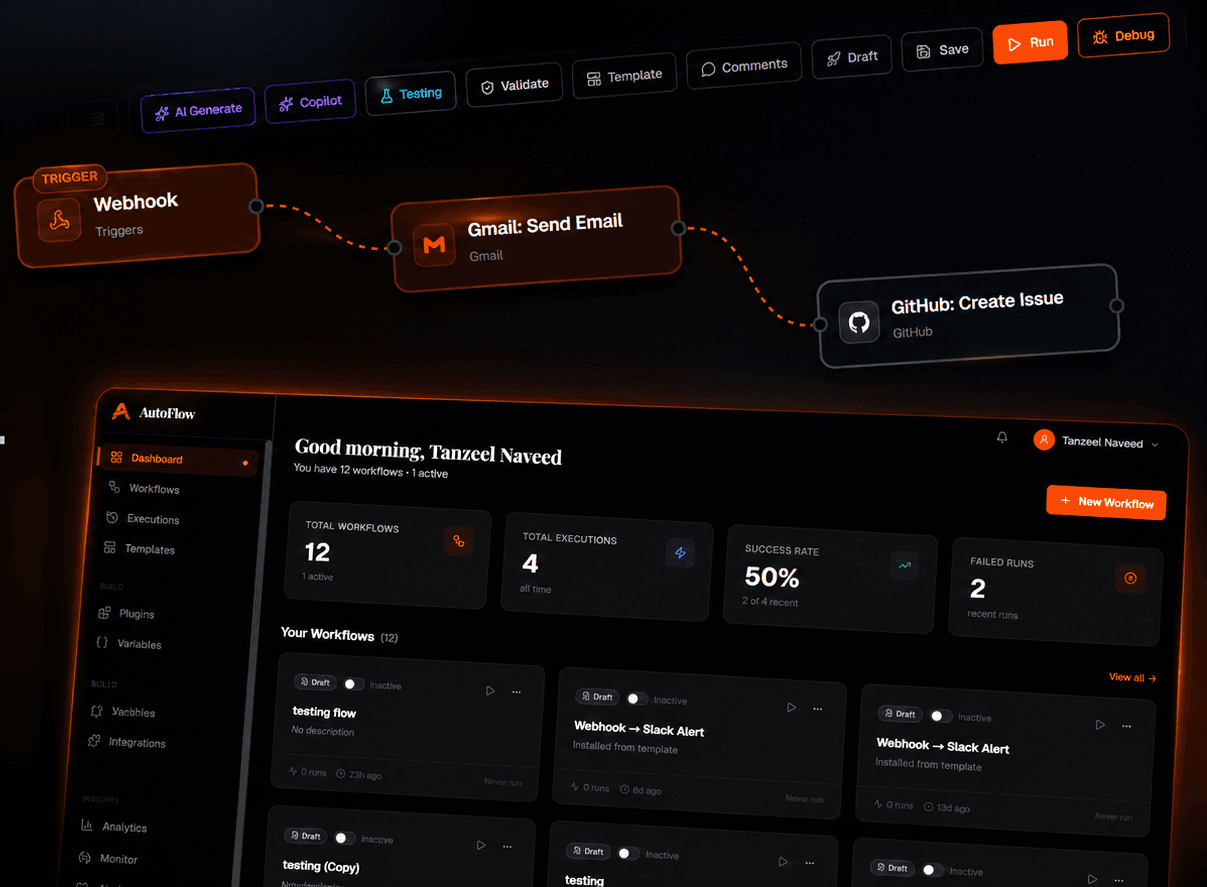
AutoFlow: AI Workflow Automation Platform
No-code workflow automation platform with a visual builder, AI assisted workflow generation, and a live dashboard for tracking executions and success rates.
In shortA platform for building AI-powered workflows with a visual builder, triggers, app integrations and an execution dashboard to set up and monitor automations.
500+
App Integrations
AI
Powered Builder
Real time
Execution
01 // Overview
No-Code Automation Platform
AutoFlow lets users connect apps and build visual automation workflows without writing code. An AI layer can generate a working workflow directly from a plain language prompt.
Visual Builder
Drag and drop canvas for chaining triggers and actions like Webhook, Gmail, and GitHub into a single flow.
AI Generate
Describe a workflow in plain language and let AI Generate and Copilot build the flow automatically.
Execution Dashboard
Live view of total workflows, executions, success rate, and failed runs at a glance.
Engineering
The Decisions Behind It.
What made this hard?
The real challenge in a no-code automation builder is not the UI, it is execution: running workflows safely, handling failures, and showing the user the result of every step.
How was the system structured?
A workflow is stored as a serializable graph, and the execution engine walks that graph node by node. Node types register through a registry pattern, so adding an integration never touches the engine. AI-assisted generation produces the same schema the manual builder does, rather than a second parallel system.
What does the codebase look like now?
Every execution writes step-level logs, which is where the dashboard derives both success rates and failure points. The node schema is documented so a contributor adding a node type is not guessing at the contract.
02 // Features
Platform Capabilities
Smart Triggers
Webhook and app based triggers that kick off a workflow the moment an event happens.
App Integrations
Connect Gmail, GitHub, Slack, and hundreds of other tools with zero setup.
Debug and Validate
Built in testing, validation, and debug tools before a workflow goes live.